


How to Sign Up for a Volunteer Shift
Sign Up Instructions:
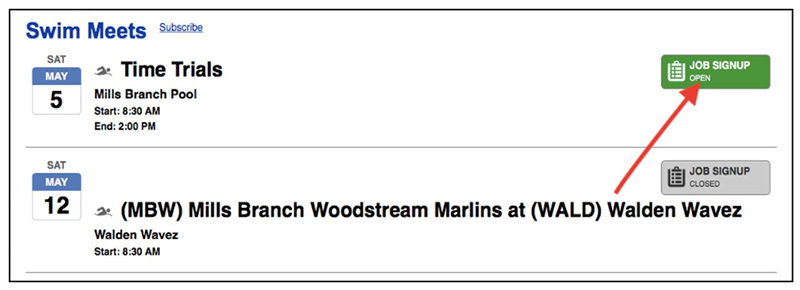
Click Job Sign Up Button
- Navigate to the Meet Schedule page, or see the Upcoming Meets list on this page.
- Click the green “Job Signup” button (this will show up once job sign-up opens)
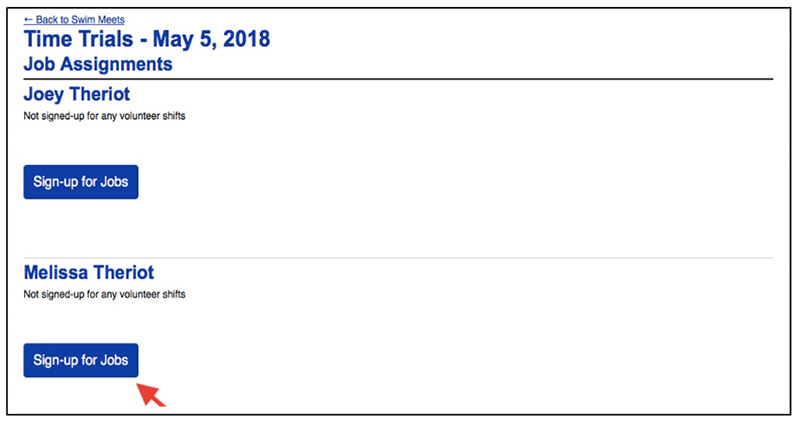
Select the Volunteer
- Select which person you are signing up
- Click “Sign up for Jobs”
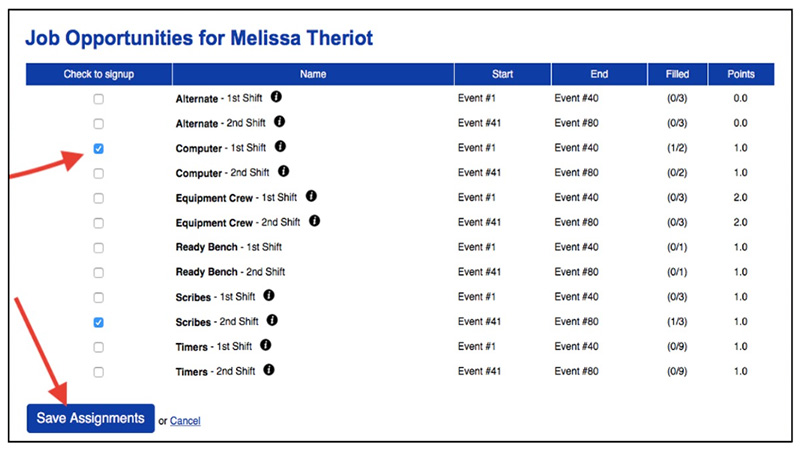
Select Your Job
- Select the volunteer job or multiple jobs
- Click “Save Assignment
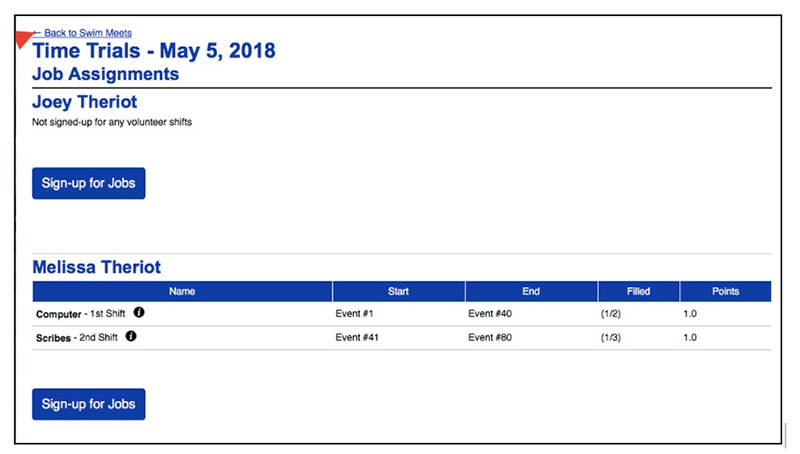
Confirm Job & Repeat
- Confirm that you selected the correct jobs
- Click “Back to Swim Meets” to start the process over and sign up for jobs at additional meets.
Text Area
Simple formatted text

